Business video can explain a service, demonstrate a product, or help a customer understand a process. AI-assisted tools can support tasks such as drafting ideas, organizing scenes, generating selected visual elements, or preparing captions. They can make experimentation easier, but the usefulness of the finished video still depends on the message and the decisions made during production.
A polished sequence is not automatically an effective communication. Viewers need to understand what they are seeing, why it matters, and what to do next. A practical production process keeps those questions visible from the first script to the final export.
Start with one communication objective
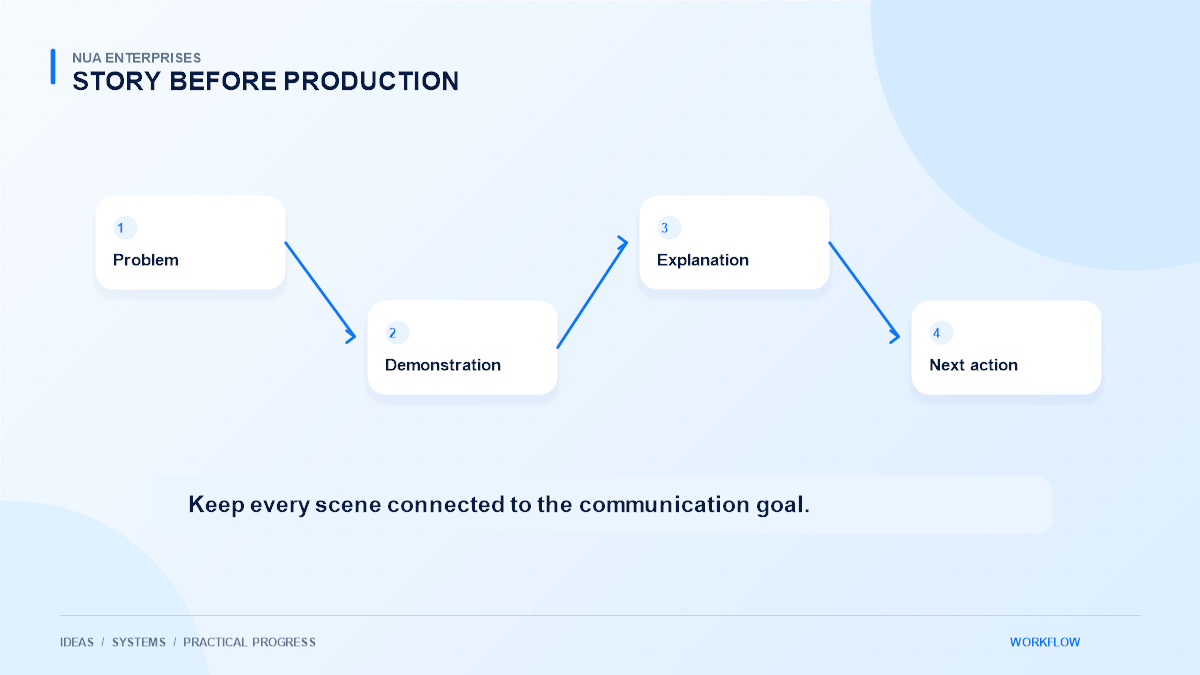
Choose a specific purpose for the video. A short service introduction, a product walkthrough, and a customer onboarding guide require different structures. Define the audience and what they should know or do after watching.
For a product demonstration, show the task the product helps complete rather than listing every feature. For a service introduction, explain the problem, the approach, and the next step. A focused objective makes it easier to decide which scenes belong and which simply add length without improving understanding.
Write a script before generating visuals
A script gives the video a clear argument and helps control pacing. Use familiar words, short spoken sentences, and concrete examples. Read the script aloud to find phrases that look reasonable on a page but sound awkward in narration.
AI can help suggest an outline or alternate wording, but a person should verify the result against the actual service. Remove invented capabilities, testimonials, and unsupported claims. The script should reflect what the business can genuinely provide, including any limits the viewer needs to understand before making a decision.
Build a simple storyboard
Map each part of the script to an image, interface recording, illustration, or text treatment. This avoids generating attractive scenes that do not support the message. Plan where the viewer’s attention should go and how each scene connects to the next.
A workflow video might show an incoming request, a clear approval step, and a completed task. The sequence should remain understandable without a complicated visual explanation. Use a small set of consistent visual conventions so viewers can follow the story instead of learning a new design language in every scene.
Use AI where it helps the process
AI-assisted generation can be useful for conceptual visuals, early drafts, or variations that would otherwise be expensive to explore. It is less suitable when the viewer needs an exact representation of a real interface or a product’s actual behavior.
Use real screen recordings for tasks that must be demonstrated accurately. Clearly distinguish illustrative concepts from functioning software. Review generated visuals for inconsistent objects, unreadable text, and misleading details. A striking image should not imply that the business has delivered a project or owns a capability that it has not verified.
Keep branding consistent across scenes
Define colors, type treatments, spacing, and logo use before producing a series. A consistent blue, white, and navy palette can create a coherent identity without placing a large logo in every frame. Ensure important text remains readable at the size viewers will actually see.
For mobile viewing, avoid dense slides and tiny interface labels. Leave safe space around important content when creating versions for different aspect ratios. Keep transitions subtle enough to support the explanation. Motion should guide attention rather than compete with the message or make the video uncomfortable to watch.
Treat sound and captions as essential work
Narration needs to be understandable, paced appropriately, and consistent in volume. Background audio should support speech rather than mask it. Check pronunciations of product names and technical terms instead of assuming generated narration will handle them correctly.
Check caption accuracy and timing
Review captions manually for accuracy, punctuation, and timing. Captions help people watching without sound and support accessibility, but incorrect captions can change the meaning of an explanation. Where the visual information is essential, make sure the spoken or accompanying text communicates enough context for the intended audience.
Review permissions and responsible use
Confirm that images, music, fonts, voices, and other assets can be used for the intended commercial purpose. Keep a record of licenses and approvals. Do not imitate a real person’s voice or likeness without appropriate permission.
Be cautious with customer information visible in recordings. Use demonstration data, hide credentials, and check notifications or account details before publishing. AI tools also have their own processing terms, so review what is uploaded. Responsible production includes these checks alongside the creative work, rather than treating them as an optional final step.
Export for the actual destination
Prepare versions suited to the website or channel where the video will appear. Balance file size with readable text and clear visuals. Check the final export on a phone and a desktop, including the first frame, captions, audio, and the closing action.
On a website, preserve ordinary playback controls and respect browser autoplay behavior. Do not assume visitors want sound to begin unexpectedly. A useful thumbnail and a clear description can help customers decide whether the video is relevant before they play it.
Improve from real viewing feedback
Look for points where viewers become confused, stop watching, or ask the same follow-up question. A shorter introduction or clearer demonstration may help more than additional effects. Keep source files organized so revisions do not require rebuilding the whole project.
NUA Enterprises can discuss AI video production services around a specific communication goal. Bring the message, intended audience, and publishing destination. A carefully planned video can make a complex idea easier to understand while keeping the business’s presentation accurate and consistent.