Growing companies often reach a point where spreadsheets, email chains, and disconnected applications make everyday work difficult to coordinate. Staff may enter the same information several times, struggle to find the current record, or rely on one person who understands an unofficial process. Custom business software can address these problems when the requirements are clear and the organization is ready to maintain the solution.
It is not automatically the best choice for every business. A well-configured existing product may solve the problem more simply. The useful question is whether a tailored system offers a better fit for the workflow, information, and responsibilities that matter most.
Identify the operational problem clearly
Describe the problem in terms staff can recognize. Examples include approvals being missed, customer information being inconsistent, or reports requiring manual reconciliation. Record how often the issue occurs, who it affects, and what workaround is currently used.
Avoid beginning with a long list of screens. A screen is only useful when it supports a task. If managers need reliable order visibility, the requirement includes accurate statuses, ownership, and update rules as well as a dashboard. This distinction helps prevent an attractive interface from hiding an unchanged operational problem.
Compare building with configuring existing tools
Review available systems against the essential workflow. Consider configuration, integration, access control, data portability, and ongoing support. A product that covers most requirements may still be unsuitable if the missing part is central to how the business operates.
Equally, do not commission custom development merely to reproduce a standard feature already available in a supported tool. A balanced solution may combine an established platform with a small tailored integration. Document why the chosen approach fits, including its limitations, so the decision remains understandable after implementation begins.
Involve the people doing the work
Interview staff who create records, approve tasks, handle exceptions, and answer customer questions. Observe an ordinary case and a difficult one. Different teams may use the same word for different statuses, so agree on definitions before designing the system.
A sales team might consider an order complete when payment is received, while operations considers it complete after delivery. Software needs a precise model for those stages. Resolving these differences early is more valuable than discovering them after a database and several interfaces have been built.
Define a useful first release
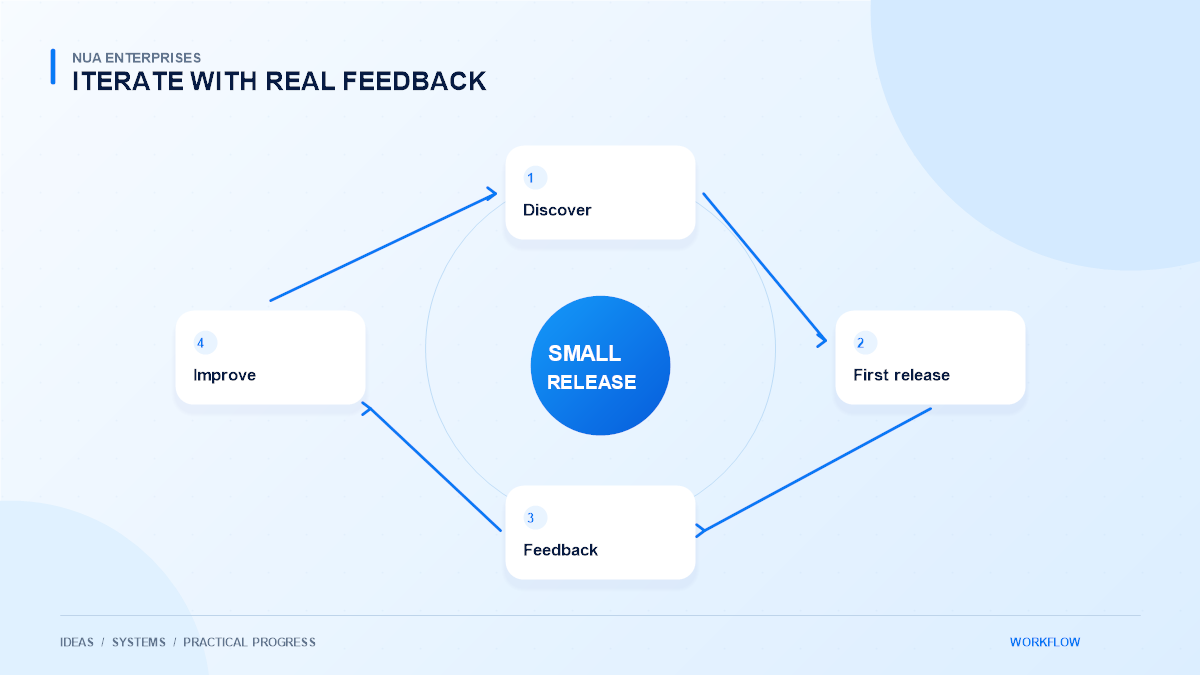
Choose the smallest release that improves a complete workflow. It might manage enquiries through approval or track orders through delivery. Include the essential permissions, validation, and error handling rather than postponing them as optional polish.
Keep desirable future features separate from current requirements. A clear scope makes estimates and acceptance checks more meaningful. For each feature, describe what the user can do and what must happen afterward. This creates a practical basis for review without pretending that every future requirement can be predicted.
Plan integrations and data ownership
Decide which system owns each important record. If both the website and an internal application can change a customer address, define how conflicts are resolved. Integrations should not silently overwrite a newer record with an older copy.
Plan import validation, duplicate handling, and recovery when an external service is unavailable. Keep transaction references and audit information where they are needed for support. Use documented interfaces rather than fragile scraping or manual exports when a reliable integration is available and suitable.
Design permissions around responsibilities
Not every user should see or change every record. Define roles according to real work: who can approve, who can edit, and who can only view. Apply those rules on the server as well as in the interface.
Sensitive information should be collected only when necessary and protected appropriately. Review authentication, session handling, backups, and access removal for departing staff. A convenient application still needs clear boundaries. Security requirements should be part of the design conversation rather than added only before launch.
Test with realistic records and exceptions
Use representative data and tasks to evaluate the system. Check incomplete records, duplicate submissions, conflicting updates, and users with different permissions. A successful demonstration using ideal information is not enough to establish operational readiness.
Observe a complete workflow
Ask staff to complete a real workflow without guidance from the developer. Their questions can expose unclear labels or missing context. Record acceptance criteria and verify them before release. Keep an agreed rollback or recovery plan for changes that affect important business information.
Prepare migration, training, and support
Moving data requires its own plan. Clean up unnecessary duplicates, agree on field mappings, and verify a sample before transferring the full set. Preserve a safe reference to original records where appropriate and confirm who approves the result.
Training should explain the workflow, not only where buttons are located. Staff need to understand status meanings, exception handling, and support channels. Assign ownership for updates and review access periodically. These responsibilities help keep a tailored system useful as the company changes.
Evaluate value across the system’s life
Development cost is one part of the decision. Consider hosting, maintenance, support, staff time, and future changes. Also examine the operational benefit: fewer repeated entries, clearer accountability, or faster access to reliable information. Avoid relying on an invented return figure to justify the project.
A well-scoped system can become a durable operational asset when it is understandable and maintained. Discuss custom business software with NUA Enterprises using a real workflow as the starting point. A practical discovery process can help determine whether custom development, configuration, or a smaller integration is the most suitable next step.