Digital products can make useful capabilities available without commissioning a complete custom system. A template can standardize a recurring task, a plugin can extend a website, and a small application can organize work that previously depended on scattered documents. Their value comes from fitting a real need and making the work easier to repeat reliably.
Adding more tools does not automatically improve productivity. A team can lose time managing overlapping applications, duplicate records, and unclear responsibilities. The best selection process begins with the task and the people doing it, then evaluates whether a particular product offers an appropriate solution.
Identify the task before browsing products
Describe the work that needs improvement. Is the problem inconsistent planning, repeated content preparation, missing follow-up, or difficulty finding an approved document? Be specific about the inputs, the expected output, and who uses the result.
A content team might need a reusable planning template rather than another full project management platform. A website owner might need one supported plugin rather than several overlapping extensions. Clarifying the task helps avoid purchasing an appealing feature set that creates more administration than the original process required.
Compare the product with the existing workflow
Review how the product would fit into daily work. Consider where information will be stored, who updates it, and whether it duplicates a system already in use. A tool should make ownership clearer rather than creating a second unofficial version of an important record.
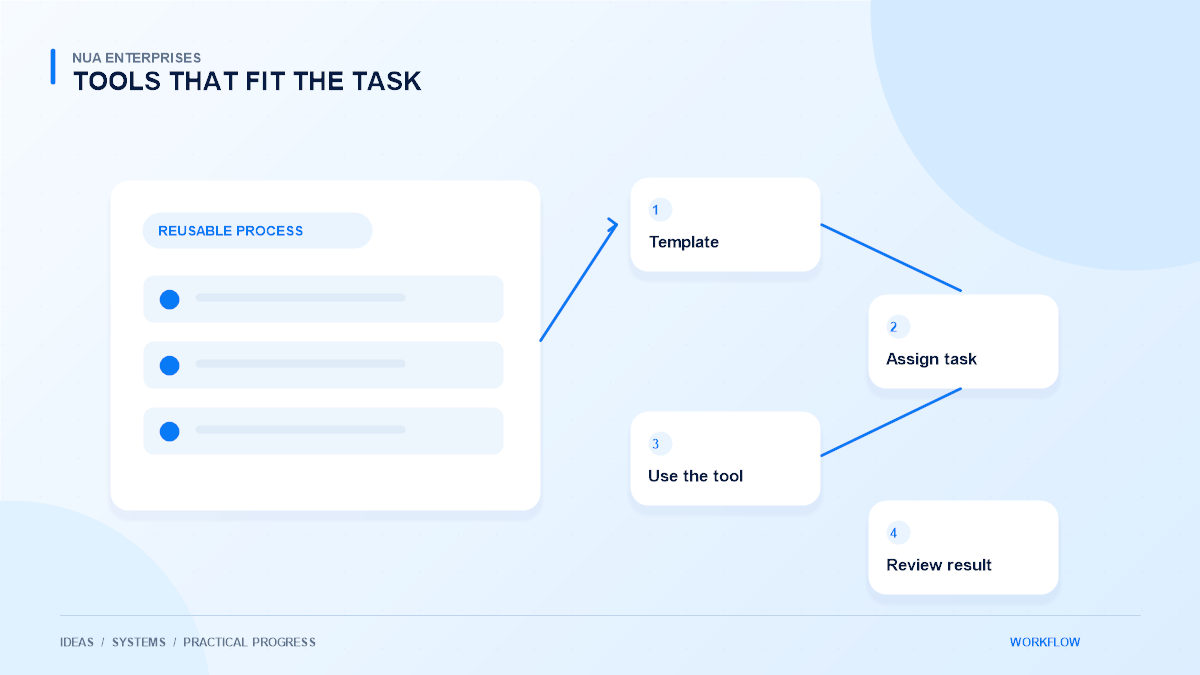
For example, a sales checklist can guide a consistent handoff, but it should point to the authoritative customer record instead of encouraging a new spreadsheet for every team. Map the proposed workflow before adopting the product. This simple step can reveal integration or training needs that are not obvious from a feature list.
Use templates to support consistency
Templates are useful when a task has a repeatable structure. A project brief, content calendar, or approval checklist can help staff remember important information and communicate expectations. Leave enough flexibility for the details that genuinely vary between projects.
Avoid treating a template as a substitute for judgment. A checklist should prompt useful questions, not reward completion of irrelevant boxes. Assign an owner to review the template when the process changes. Small, well-maintained resources can provide lasting value when the team understands why each section exists.
Evaluate plugins and software carefully
For a website plugin or application, review compatibility, support information, update practices, and the permissions it requires. Test the product in an appropriate non-production environment before relying on it for important work. Keep a record of what was installed and why.
Plan for updates and exit
Check whether the product can export information in a useful format and how removal affects stored data. A feature that is easy to enable may still be difficult to replace later. Consider the complete lifecycle, including maintenance and exit, rather than focusing only on the initial download or demonstration.
Keep access and purchasing records organized
Know which account owns the purchase, who can access downloads, and what the license permits. Store activation information and support details through an approved internal process. Do not share credentials broadly simply because several people need to use the result.
When a product handles business or customer information, review where that information goes and who can retrieve it. Keep private files in the intended protected location. A public link to a downloadable asset is not the same as an entitlement-controlled delivery process for paying customers.
Introduce the tool with a small pilot
Choose a realistic task and a limited group of users. Ask them to complete the work using the product and note where they need additional explanation. Their experience is more useful than a demonstration performed only by someone who already knows the interface.
Compare the pilot with the original process. Did it reduce repeated work, improve clarity, or make mistakes easier to catch? If it adds unnecessary steps, adjust the workflow or reconsider the selection. A small trial protects the wider team from adopting a tool that does not fit.
Make training practical and concise
Explain the purpose of the tool, the expected workflow, and where its output belongs. Provide a short example using appropriate demonstration data. Staff should understand what they are responsible for and when to ask for help.
Keep instructions near the task where possible. A clear field description or a brief checklist can be more useful than a long document nobody opens. Name an owner for questions and improvements. Without ownership, even a well-designed product can drift into inconsistent use as team members develop different habits.
Review the result and remove duplication
After the pilot, review whether the tool is helping the intended task. Look at correction effort, handoff clarity, and staff feedback. Avoid measuring success only through logins or the number of items created. Activity does not necessarily show that useful work has become easier.
Retire redundant copies of templates and document which version is current. Review unused integrations and permissions periodically. Simplifying the toolkit can be an improvement in its own right when it reduces confusion and makes the remaining process more dependable.
Choose products as part of a coherent system
The most useful digital products support a clear process, have an accountable owner, and remain maintainable over time. They do not need to solve every problem at once. A focused tool that the team uses consistently can be more valuable than a large platform adopted without a practical plan.
Explore NUA Enterprises Digital Products and Tools with a specific task in mind. Review the product information, compatibility, and support details before choosing. If the workflow needs a tailored approach, discuss it through NUA Enterprises services so the next step fits the business rather than adding another disconnected tool.