A website is often the first place a potential customer checks before contacting a business. That visit may last only a short time, but it asks important questions: What do you offer? Can you solve my problem? Is it easy to take the next step? Professional website development gives those questions clear, dependable answers. Its value comes from combining useful content, thoughtful design, and reliable technical delivery around a specific business purpose.
An attractive homepage alone cannot carry that responsibility. The website also needs to work on phones, support accessible navigation, communicate clearly, and remain manageable after launch. For a growing company, these details turn a collection of pages into an asset that staff and customers can actually use.
Begin with a business outcome
Before choosing a theme or discussing animation, define what the website should help someone accomplish. A consultancy may need qualified enquiries. A retailer may need straightforward purchases. A software provider may need demonstration requests. These outcomes require different page structures and different information at each decision point.
Write down the primary audience, their most common question, and the action that should follow a successful visit. Agree on one main action for each important page. This keeps development focused and gives everyone a sensible way to evaluate proposed features. A feature earns its place when it helps the visitor or the team operating the site.
Build trust through clarity
Visitors should not have to decode a vague headline to understand the business. Explain the service in familiar language, show relevant work where permission allows, and provide realistic information about how an engagement begins. Genuine contact details and clear policies support that explanation.
For example, a development agency can describe its discovery process, expected client inputs, and maintenance options. That is more useful than an unsupported promise to deliver every project instantly. Consistent typography, readable spacing, and careful proofreading reinforce credibility because they make the information easier to assess.
Design for the complete customer journey
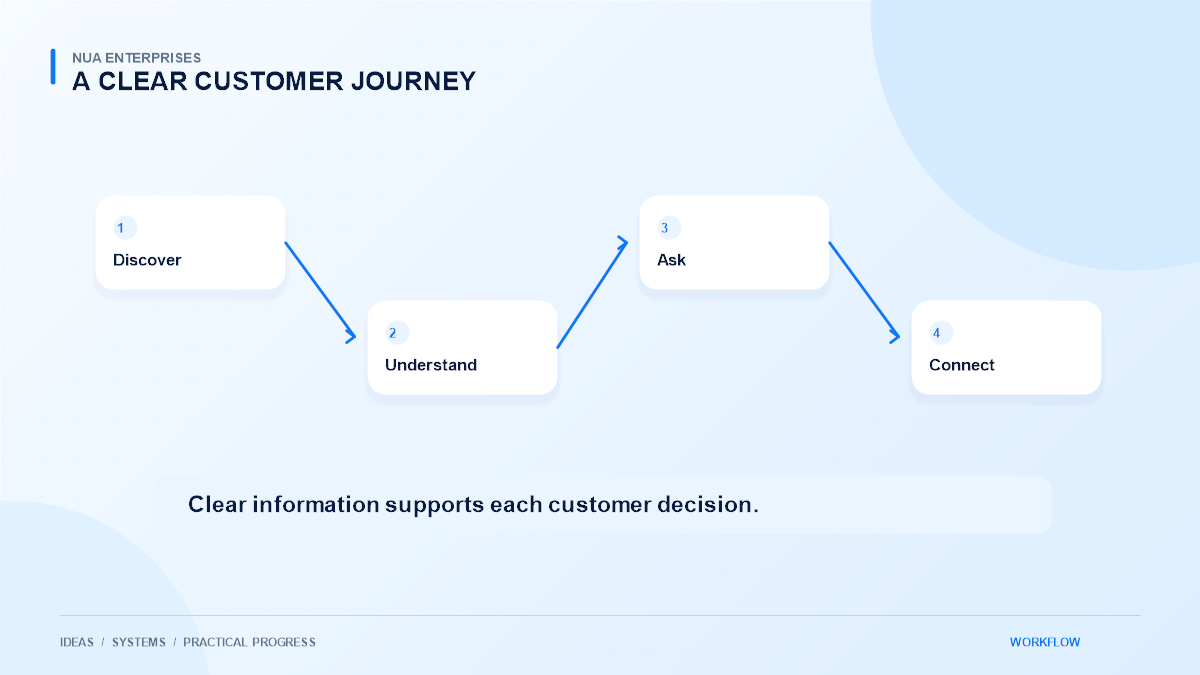
A useful service page connects the customer’s problem to the next practical step. It can explain the scope, answer common questions, identify what is included, and offer a clear way to enquire. Navigation should make related information easy to find without sending people through a maze of menus.
A customer researching an online store might need to understand payment integration, product management, and ongoing support before requesting a quote. Linking those topics naturally helps the visitor make a better decision. Keep calls to action descriptive: a button such as Discuss Your Website tells people more than an unexplained arrow.
Treat mobile and accessibility as core requirements
A layout that looks impressive on a large monitor can still fail on a phone. Check navigation, forms, text size, image scaling, and touch targets at smaller widths. Avoid interactions that require a precise mouse hover to reveal essential information.
Check real tasks across devices
Accessibility also improves everyday usability. Use meaningful heading levels, visible keyboard focus, descriptive form labels, and adequate contrast. Provide text alternatives for informative images. Review the actual customer tasks with a keyboard as well as a touch screen; responsive screenshots alone cannot prove that a form or menu is usable.
Make performance part of the build
Large images, unnecessary scripts, and complex page effects can delay useful content. Choose appropriately sized images, reduce avoidable dependencies, and test the pages that matter most to customers. A simple service page should not load an unrelated library merely because another template uses it.
Performance decisions should preserve functionality. Removing a required script can create a fast-looking page with a broken enquiry form. Measure changes, check important interactions after optimization, and consider slower connections. The goal is a dependable experience, rather than a score achieved by hiding useful features.
Plan content ownership and maintenance
A website becomes difficult to maintain when nobody knows who updates it. Assign responsibility for service information, prices where relevant, contact details, and published articles. Give editors an interface that supports routine changes without requiring them to modify layout code.
Maintenance should include backups, supported software updates, permission reviews, and a process for reporting faults. Agree on what support covers and how changes are approved. These practical arrangements help prevent small issues from accumulating after the launch team has moved to another project.
Connect the website to real operations
Forms, customer dashboards, calendars, and order workflows should fit the way the business works. Collect only information needed for the next step, explain what happens after submission, and route enquiries to someone who can respond. An elegant form that sends messages to an unattended inbox is an operational failure.
Start with a small number of reliable integrations. Test unsuccessful submissions, duplicate clicks, and confirmation messages alongside the successful path. Keep private credentials on the server and avoid placing sensitive customer information in public URLs or analytics events.
Review results and improve deliberately
After launch, look at useful outcomes such as completed enquiries, relevant purchases, and common support questions. Combine analytics with conversations from sales and support. A page receiving visits but producing confused enquiries may need clearer content before it needs a new design.
Professional development creates room for these improvements without rebuilding everything. If you are planning a new site or reviewing an existing one, explore NUA Enterprises website development services and bring your audience, goals, and current obstacles to the discussion. A practical website plan starts with those details and grows through careful, measurable improvements. Keep the people responsible for content and customer follow-up involved throughout the project.